The Beginner’s Guide to Digital Design

In this article:
Whether you realize it or not, every tap, scroll, and click you make online is guided by design — the invisible hand behind digital products like mobile apps and web apps that makes them intuitive, functional, and visually engaging. It anticipates users’ needs and tailors interactions.
We see digital design as both an art and a science. Across user interface (UI), user experience (UX) design, interaction design, and more, our human-first approach helps us find solutions for the best user experience. In this guide, we’ll outline key types of digital design, essential tools, and the processes that transform ideas into user-friendly, high-performing digital products.
What is Digital Design?
Digital design is the practice of crafting digital experiences like mobile apps, dashboards, full websites, kiosks, and more — anything a real user interacts with on a digital platform. It blends aesthetics with usability, balancing visual design with functionality to create digital products that solve real problems and meet users’ needs. At its best, digital design helps brands and businesses communicate clearly, reduce friction, and steer users toward meaningful action.
At Big Human, digital design turns strategy into experience. Every decision, from typography and color palettes to animations and microinteractions, is informed by research, user feedback, and best practices that combine usability with delight. Rather than treating design as a surface layer, we use it to clarify complexity and support long-term goals.
Key Types of Digital Design
Not all digital design is the same. Different types of design serve different goals, whether it’s building a frictionless website or a gamified mobile app. Understanding these distinctions helps teams invest in the areas that’ll have the greatest impact on both users and overall business goals. For this guide, we’re highlighting the types most relevant to building human-first digital products — the areas that directly influence UI, UX, and how people interact with content online.
Digital Product Design
Digital product design addresses the full experience of a digital product, including websites, web applications, and mobile apps. It merges interface, visual, and user experience design with functionality to create cohesive, engaging digital experiences. This category focuses on tools and services (like SaaS), where usability and workflows directly affect adoption and retention.
For example, a cryptocurrency exchange that simplifies financial trading or a government procurement platform that streamlines contract management. These digital products rely on thoughtful workflows and clear interactions to help users efficiently achieve their goals. When product design works, users don’t notice it; they just move forward with confidence.
Marketing and Brand Experience
Web design is a core part of digital product design, focused on brand and marketing experiences rather than tools or platforms. It combines layout, typography, color, and visual storytelling to create marketing websites that build trust, communicate value quickly, and guide users toward action. Front-end development is embedded in this process, bringing designs to life as responsive, high-performing pages that feel connected across devices and remove friction from the experience.
Fastly’s marketing website clearly walks visitors through complex technical services with a clear hierarchy and easy-to-scan content. For Netflix, our team designed a central hub where users can quickly find company news and updates, showing how thoughtful structure and navigation can make even dense information feel accessible.
Mobile Design
When on-the-go usability is paramount, we turn to mobile design. Mobile design ensures small-screen experiences are efficient and easy to use.
Our work on Quinn created a mobile experience that enables users to easily discover and navigate audio content while maintaining a clear, branded interface. Similarly, for Bloom, a mental health platform, we designed an in-app experience optimized fordaily check-ins and easy goal tracking.
Visual Design and Interaction Design
Visual design and interaction design determine how digital experiences are perceived, understood, and used. Good visual and interaction design turns clicks, taps, and swipes into meaningful experiences. Within digital products and marketing websites, they work together to communicate hierarchy, direct attention, and provide feedback as users move through an experience. This includes typography, color, iconography, layout, motion, and interactive states — all helping users understand what’s important, what’s actionable, and what’s happening in real time.
Somatic Living's online yoga platform uses a cohesive mix of type, color, and imagery to build a digital environment that reflects the brand’s personality and values. For Wordibly, we used smart typography, spacing, and button design for straightforward interaction, while Lumiere's animations and dynamic content respond to user input, offering clear visual feedback. In each case, visual design supports usability and strengthens brand recognition.
Game Design
There’s more to designing a game than just visuals. Game design crafts experiences that challenge players and keep them coming back for more. It blends interface design, interaction design, haptic feedback, and strategic pacing to deliver intentional, rewarding gameplay that increases engagement, retention, and participation.
With HQ Trivia, we merged clean interface design with fast-paced interactions and live feedback. This created a dynamic video game experience, showing how timing and interaction can drive sustained, scalable engagement.
<div id=the-digital-design-process">
The Digital Design Process
Good design creates digital products that solve real users’ needs. For businesses, this means minimizing risk and making smarter decisions before the project moves into development. Our process starts with understanding people, then translating insights into engaging, user-friendly experiences built for impact.
Here’s what that process typically looks like:
1. Discovery and Planning
The first step is understanding the people who will use your product. This includes defining the target audience, uncovering their needs and goals, and identifying obstacles. It’s about alignment as much as insight, ensuring everyone is solving the same problem from the start. Research and strategic thinking lead these early decisions to help teams balance brand identity and usability, avoiding costly assumptions later.
2. Concepting and Prototyping
Once the vision is clear, we map the user journey and outline core interactions. Prototypes allow ideas to swiftly take shape, making it easier to refine concepts before polishing the visuals. For our clients, this phase turns abstract ideas into something tangible and actionable. It confirms the experience makes sense for their users and their business goals, preventing rework during development.
3. Design and Development
Concepts and prototypes evolve into fully realized UI designs that incorporate typography, color theory, animations, and other visual elements. We then translate these designs into front-end implementations that are beautiful and functional. The result is a product that’s visually cohesive and technically sound, ready to scale as needs grow.
4. Testing and Iteration
Continual testing and iterations ensure designs work for real users. Usability testing, performance checks, and accessibility reviews polish designs until they feel effortless. Small details like navigation cues and microinteractions can boost clarity and confidence, helping us flag friction before it affects engagement and adoption.
5. Launch and Optimization
The design process continues even after launch. Monitoring user behavior, engagement, and performance gives us insight into what’s working and where adjustments are needed. At this point, design becomes an iterative system instead of a one-time deliverable. Optimizing workflows, content, and interactions ensures products stay effective, relevant, and scalable over time.
Core Tools and Design Skills
Creativity is important, but for digital experiences to be effective and engaging, you need the right tools and a solid foundation. At Big Human, we prioritize tools that streamline design, workflows, and collaboration — paired with core knowledge in user experience, visual storytelling, and functional interface design.
Our favorite design software at Big Human:
Figma
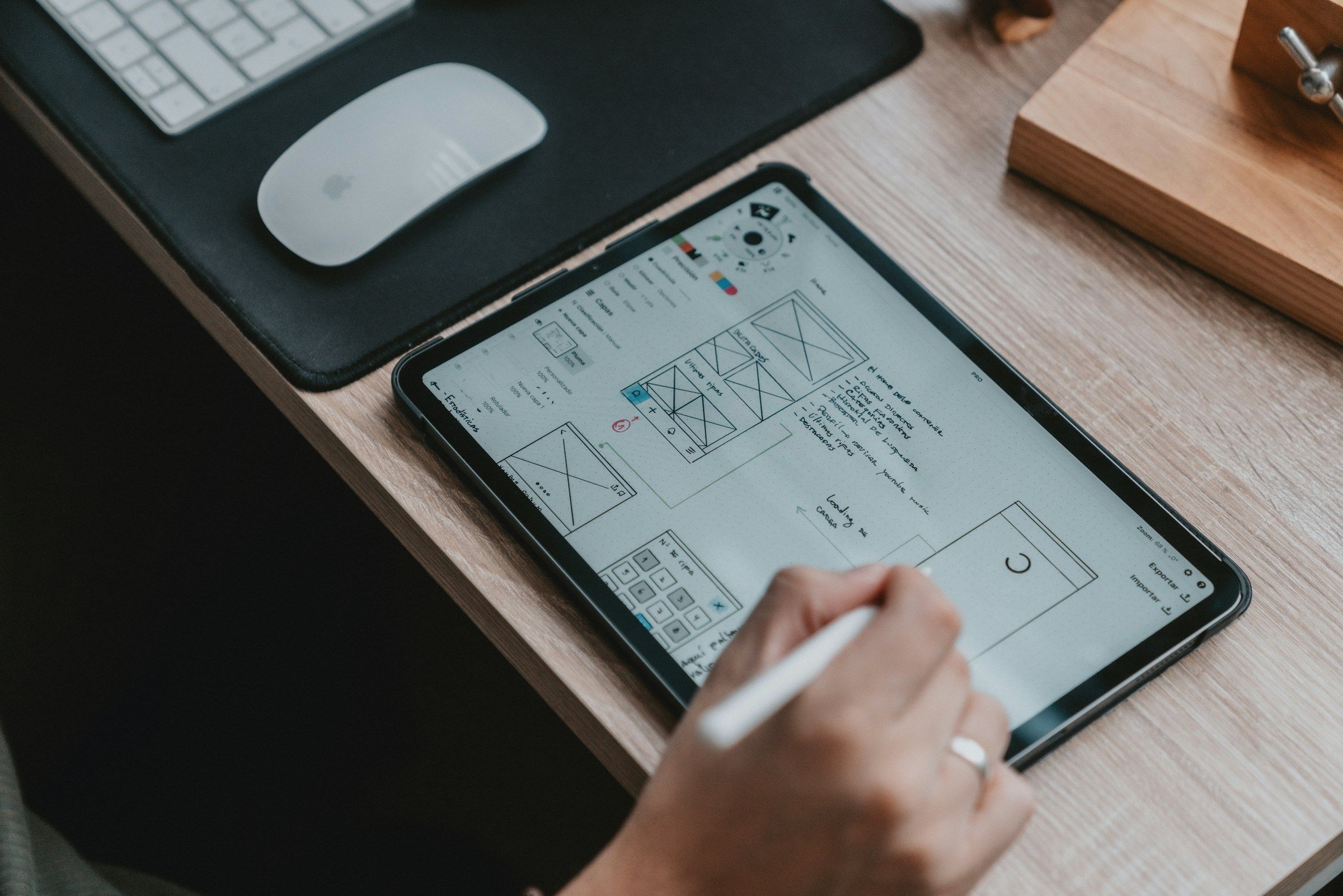
Figma is where product thinking becomes detailed interface design. It’s where we align designers, engineers, and stakeholders early while mapping user flows, testing ideas, and collaborating in real time to move from strategy to execution without losing momentum.
Key Design Skills
User Experience Design (UX Design): Tapping into user needs and behaviors to design flows that feel intuitive and achieve business goals across web and mobile.
User Interface Design (UI Design): Creating interface systems that consistently balance typography, colors, and visual elements on every device.
Prototyping: Turning ideas into tangible layouts that teams can test and refine before development begins.
Interaction Design: Designing animations and microinteractions that guide users through experiences.
Visual Design and Branding: Applying visual systems that reinforce brand identity while supporting usability across landing pages, apps, and digital content.
Usability and Accessibility: Crafting inclusive interfaces that are readable, navigable, and usable for a wide range of audiences and abilities.
Front-End Awareness and Collaboration: Understanding how designs translate into code, empowering tighter collaboration and smoother execution with engineers.
Design Essentials for Everyone (Even If You’re Not a Designer)
You don’t need to be a designer to make good design decisions, but understanding a few core principles can help you collaborate more effectively. Whether you’re leading a product, managing a brand, or working with a design partner, these fundamentals shape outcomes.
1. Start with the user.
Every tap, swipe, and click should make sense to the people using your product. Thinking about user journeys upfront helps prevent costly missteps and ensures your product delivers real value.
2. Keep it simple.
Clutter confuses users. Focus on clean layouts, intuitive navigation, and interactions that are easy to understand and use. Simplicity improves engagement and cuts friction, driving better business results.
3. Iterate early and often.
The best ideas rarely emerge fully formed. Prototypes allow teams to test concepts, gather feedback, and fine-tune direction before investing in final designs. Early iteration saves time, money, and rework later.
4. Balance aesthetics and function.
Typography, color palettes, UI design elements, and other visuals should guide, not distract. Every design choice should serve a purpose, giving users clear instructions on where to go and what to do next.
5. Pay attention to what works.
The best inspiration comes from observing real products in the wild. Noticing how apps, websites, and platforms solve problems builds intuition and sharpens judgment, even if you’re not the one designing.
Where Strategy Meets Creativity
At Big Human, we design experiences that work for people and perform for businesses, whether you’re launching a new product or evolving an existing one. Get in touch to see how we can bring your ideas to life.